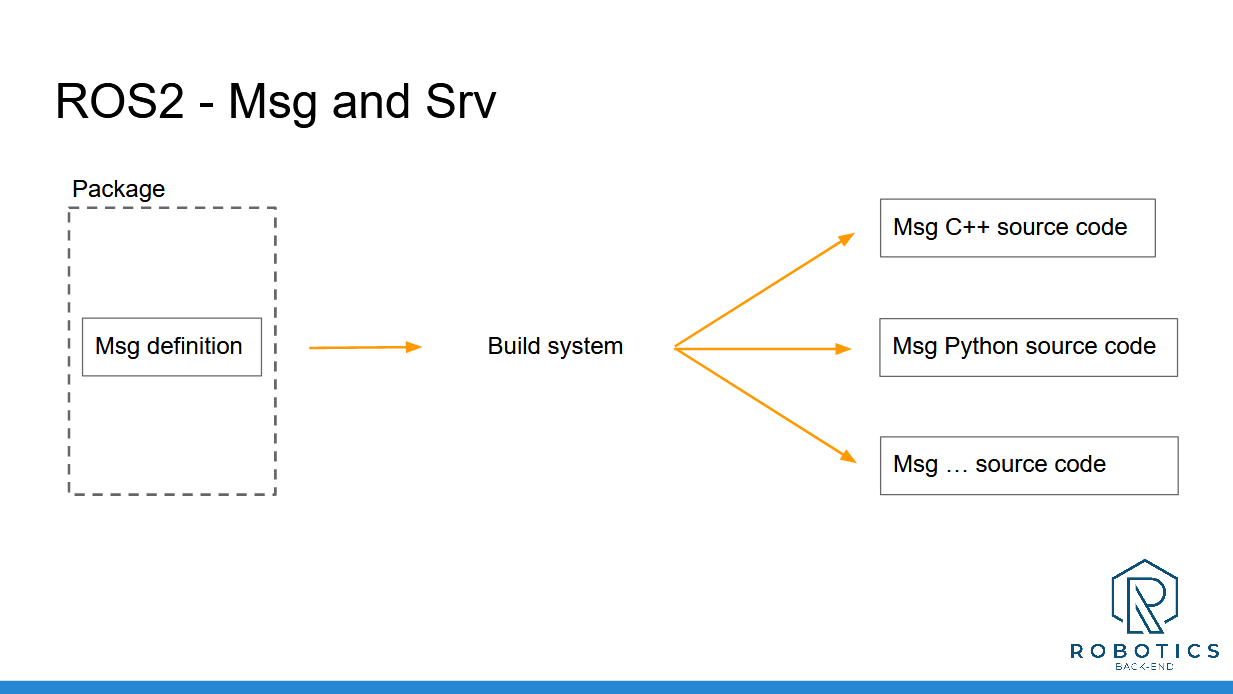
In this section you have seen how to create your own ROS 2 interfaces, for Topics and Services.
Topics and Services are the communication layer. Interfaces are the actual content that you send.
To recap, here’s how to create a custom interface:
Create a new package only for your msg and srv definitions.
Setup the package (CMakeLists.txt and package.xml)
Create a msg/ and srv/ folders, place your custom msg definitions and srv definitions here.
Once you’ve setup your package, adding a new interface is really simple:
Add a new file in the right folder: msg/ or srv/
Add one line into CMakeLists.txt
Compile with “colcon build”
And don’t forget to source your ROS 2 workspace when you want to use those messages!
Here’s what you can use inside a msg or srv definition:
Any primitive type defined by ROS 2 (most common ones: int64, float64, bool, string, and array of those)
Any message you’ve already created in this package.
Any message from another package. In this case don’t forget to add a dependency for the other package in both package.xml and CMakeLists.txt.
And now, when you compile the definitions, new interfaces will be created, along with headers/modules ready to be included in your C++ or Python nodes.
You’re almost ready to start your own ROS 2 application! In the next section you’ll see how to add settings to your nodes at run time with ROS 2 parameters.
___________________________________
Download the complete code for this section (this is the code from all previous sections + the current one).