Let’s practice with ROS 2 Services!
You will start from the Topic activity you did in the last section on Topics.
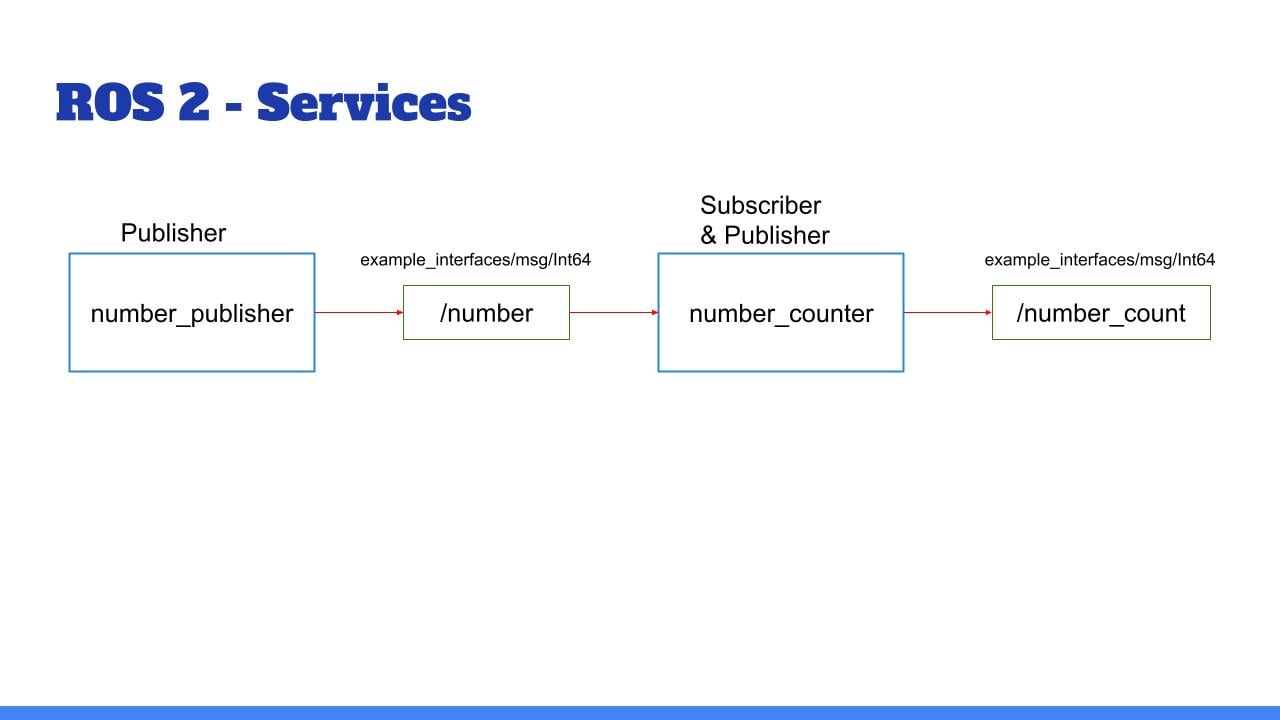
Here is what you got:
Quick recap:
The node “number_publisher” publishes a number on the /”number” topic.
The node “number_counter” gets the number, adds it to a counter, and publishes the counter on the “/number_count” topic.
And now, here is what you’ll add:
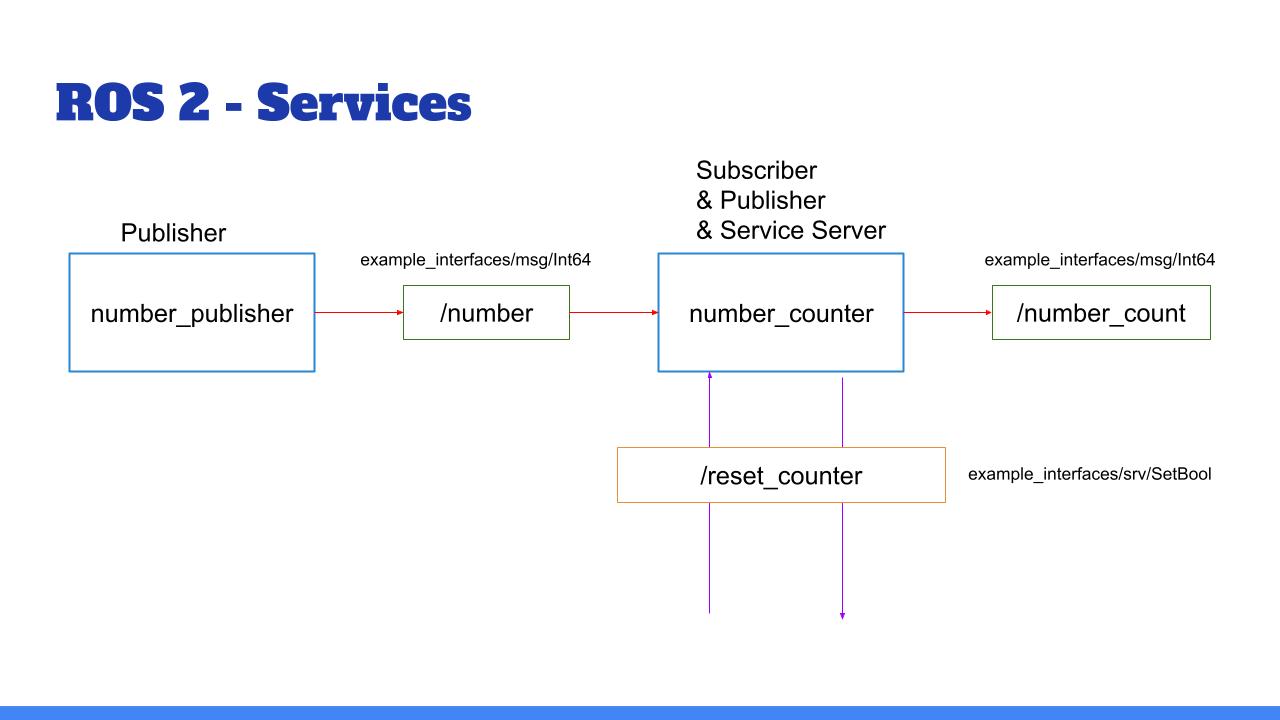
Add a functionality to reset the counter to zero:
Create a service server inside the “number_counter” node.
Service name: “/reset_counter”
Service type: example_interfaces/srv/SetBool. Use “ros2 interface show” to discover what’s inside!
When the server is called, you check the boolean data from the request. If true, you set the counter variable to 0.
We will then call the service directly from the command line. You can also decide - for more practice - to create your own custom node to call this “/reset_counter” service.
And of course, as always, you can do the activity for both the Python and Cpp versions.
I’ll see you in the next lecture for the solution.