We’ve just looked at how we can use the :checked pseudo class, and other CSS, with radio buttons and checkboxes.
But what about the <select> element?
Great question.
Before I answer this question, I want you to be aware that traditionally the <select> element has been difficult to style. It’s overall design for these elements is usually handled by the user's browser.
Over time we have been given the ability to partly style the <select> element. For example, it is now possible to style the button part of a <select>, but the actual box that contains the list of options, and the options themselves – remains very limited.
For this short article, let's create a simple HTML select element, like this:
<select>
    <option value="0">Select Financing Term</option>
    <option value="1">3 months</option>
    <option value="2">6 months</option>
    <option value="3">12 months</option>
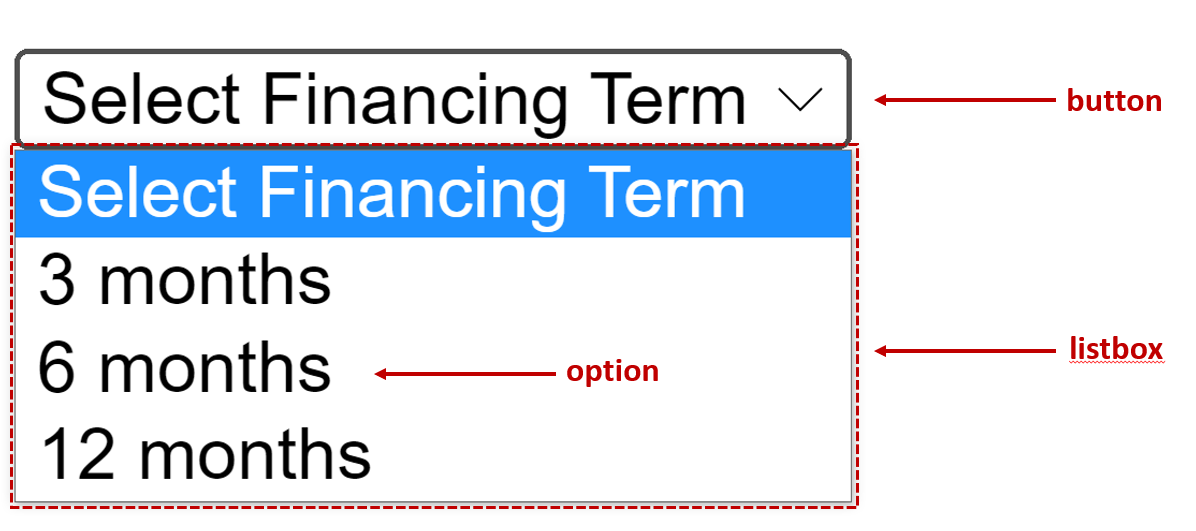
</select>There are 3 main parts to a <select> element, a button, listbox and options. I can draw it out for you like this:
#1 button. The easiest to style is the button part. We can just apply CSS to the <select> element and change its background color, borders, font, etc.
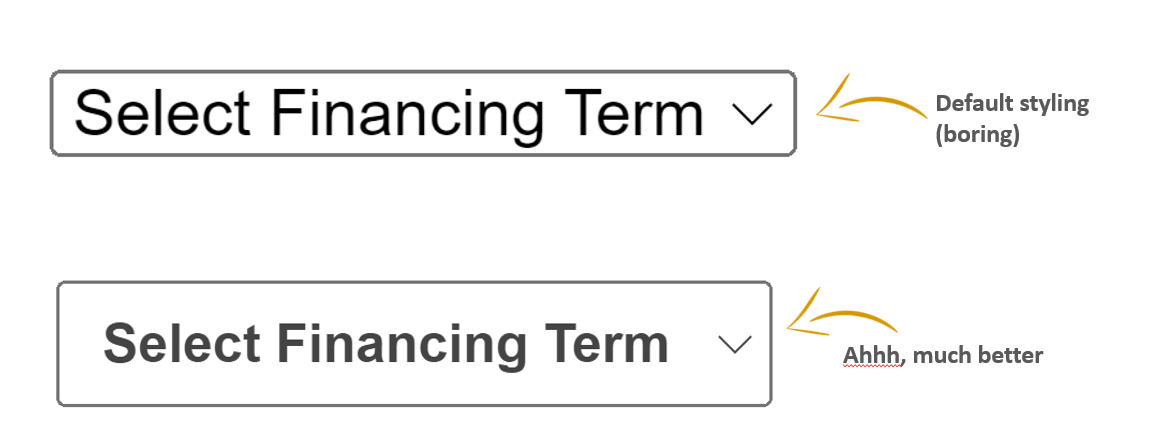
For example, we can easily apply some CSS to make our button look more appealing, like this:
select {
    font-weight: 700;
    color: #444;
    padding: .5em;
}
This will result in a nice looking select button:
#2 listbox. Bad news. We can’t target this with CSS. As a result, we can’t change the default shadow, border, corners, background etc.
Which brings me onto the final point ...
It is possible. But unfortunately, only a small amount of CSS properties can be used to style an options tab (for example, you can style the font, background, font-weight, text-align and a few others).
One option (no pun intended) is use the :checked pseudo class.
To remind you, you can use the :checked pseudo class with 3 HTML elements:
Radios (an <input> where its type is set to radio)
Checkboxes (an <input> where its type is set to checkbox)
An option within a <select> element
So, you can use :checked only on <option> in a <select> element that is toggled to an on state. It can be a little dodgy though, because the extent to <select> elements can be styled with the :checked pseudo-class varies from browser to browser.
Looking back at our example, let’s add some styling to our option using the :checked pseudo class.
option:checked {
    color: white;
    background-color: deeppink;
}
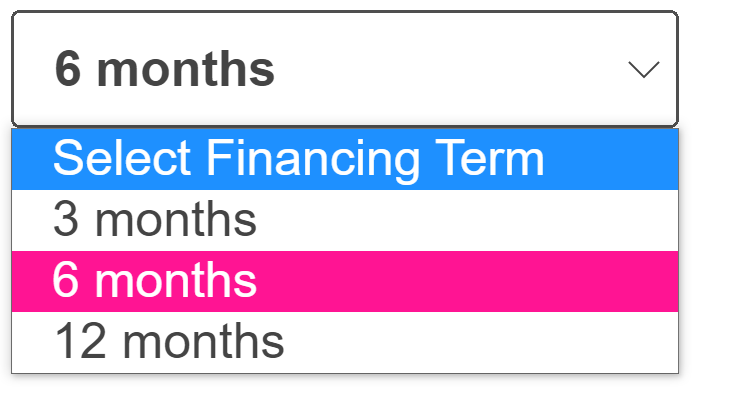
And the result looks pretty good:
Styling the <select> element used to be very tricky.
It is getting better, but it still has its issues.
You can easily style the button part.
You can’t style the listbox.
You can style the <option> element, but only in some ways.
Let’s continue.