There’s a little more to the autocomplete attribute than first meets the eye 👁️.
By default, browsers save information that a user types into <input> fields on your form. This happens automatically, with or without the autocomplete attribute.
“So then Clyde, why do we need to have the autocomplete attribute set to “on” if the browser does it anyway?”
Good question.
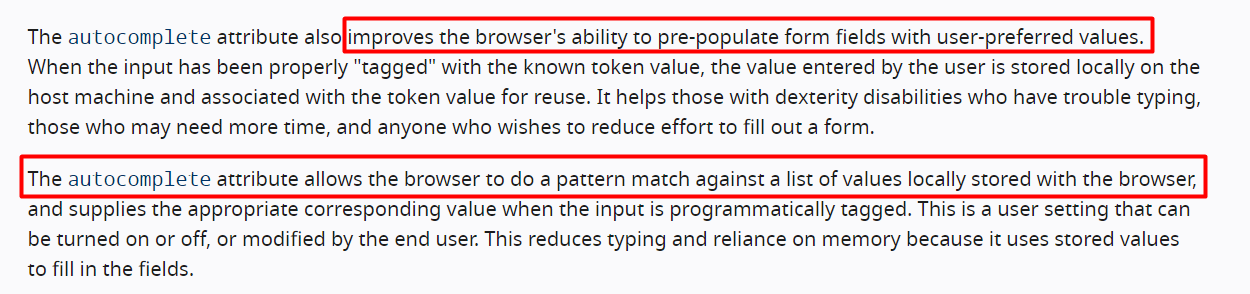
Short answer is that we don’t really need to include it, as browsers do a pretty good job on their own. But, the W3C spec says that having the autocomplete attribute helps improve accuracy. Specifically, this is what the spec has to say:
Bottom line: including the autocomplete attribute helps the browser accurately identify the type of input field the user is dealing with. It also helps with assistive technologies.
You may think it’s useful to set the autocomplete attribute to “off”. You can even do this for an entire form if you like, like this:
<form method="POST" action="/process.php" autocomplete="off">
…
</form>
This has two effects:
You are trying to tell the browser not to save any data inputted by the user in your form
You are telling the browser not to cache data in the session history
Will this work?
Yes and no ...
It will generally work for most <input> fields, except for username and password fields.
Why is this?
Well, all modern browsers have their own integrated password management systems that ask the user if they want the browser to remember their username and password. For this reason, many modern browsers do not support autocomplete="off" for login fields.
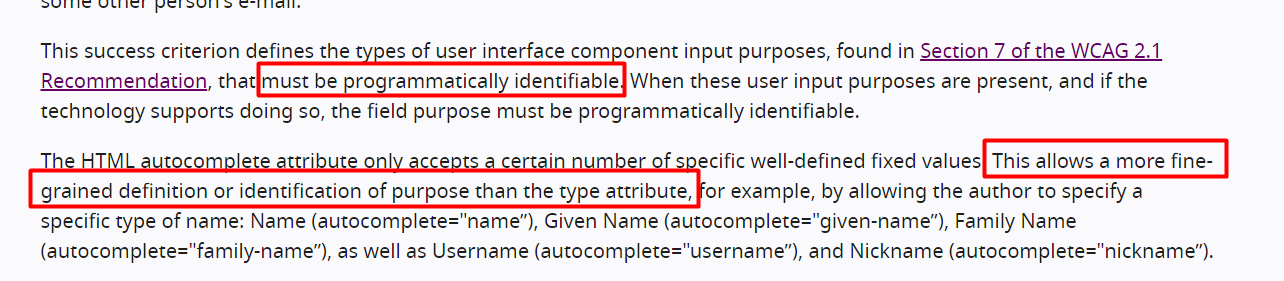
You may be surprised to learn that this does not breach the specification rules. In fact, the W3C does not require that the browser follow the autocomplete attribute. All that the spec says is that it's used to make the fields identifiable. In other words, the spec confirms that the purpose is NOT to allow the browser to autofill fields, but merely to help browsers identify the correct values for them to display. Here's a snippet from the Web Content Accessibility Guidelines (WCAG):
How do you turn autocompletion off for all form fields?
Unfortunately, there's not a clean solution. There seems to be a never ending fight with Google (and other browser vendors) to respect the autocomplete attributes.
But if you are desperate, there are a few hacks you can try.
One solution is to change the name attribute of the input element, or even use a non-standard type attribute. For example if you use a unique name for an input field, this will make it more difficult for the browser to guess what type of data is expected in the field.
Another solution is to use autocomplete="new-password", like this:
<input type="password" name="password" autocomplete="new-password">
This is a hint given to the browser that you want to prevent auto-filling of passwords. But again, browsers are NOT required to comply with it, so it's no guarantee.
Feels a little awkward, right?
Yeah, I agree. Unfortunately there's not much else we can do.
Finally, we can't forget that if a user of your form really has privacy concerns, then they can always disable autocomplete themselves by going to their own browser settings. Here’s a screenshot of my Chrome browser settings:
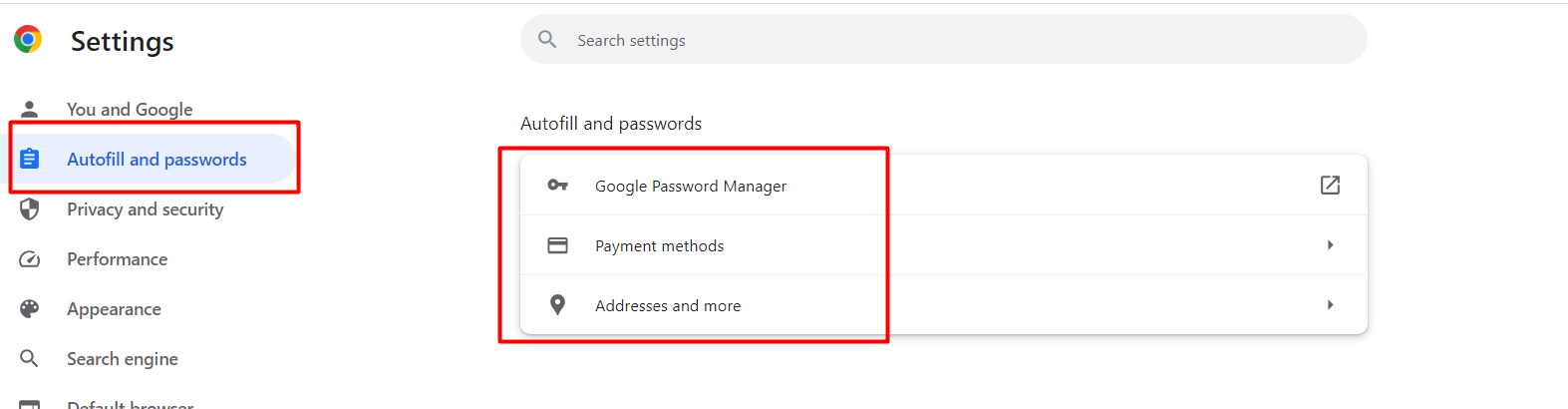
The downside of this, of course, is that we as developers have no control over this. We are basically having to rely on the user to control their own privacy settings.
I realize some of this can be daunting.
In summary, this is all you need to know:
browsers automatically save data that a user types into your forms
to help browser's more accurately identify what type of data to display to users (i.e. to help browsers display the right information in the right <input> box), you may want to include the autocomplete attribute
there is not really any clean way to switch autocomplete off for username and password fields - browsers manage this themslevs and will merely overwrite your autocomplete settings
A user can always switch off autocomplete functionality themselves in their browser settings
Hope this gives clarity on the autocomplete attribute.
Let's march on.