
Let’s say you want to send the following data to the web server:
fname = Wally
lname = Warthog
Using application/x-www-form-urlencoded, your HTML may be set up like this:
When the user hits "Submit", the server knows that parameters are separated by an ampersand &. The data will be formatted by the browser like this:

HTTP requests may declare their media type to be "multipart". You'll want to do this for more complex types of data (like files for example).
First, lets quickly change our HTML. We need to set our enctype to “multipart”.
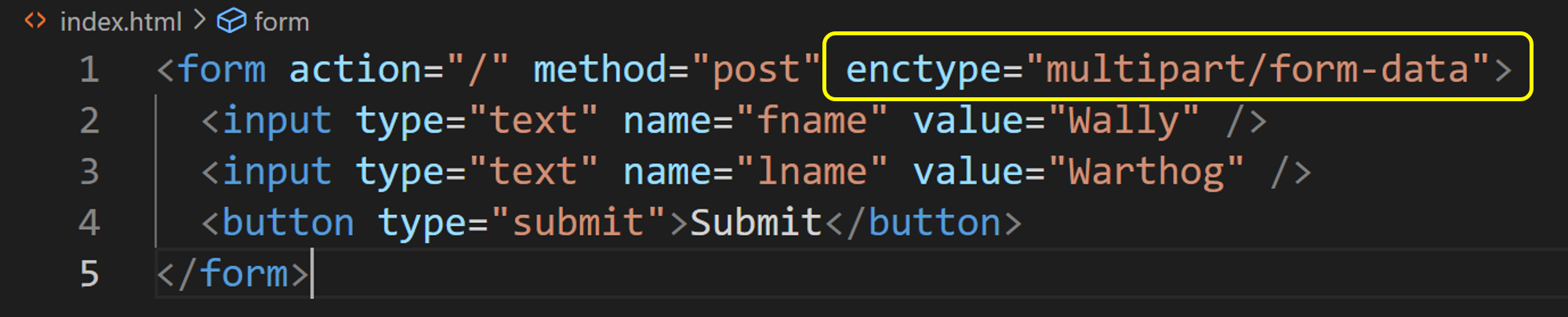 This indicates to the server that the body of the request is formatted as a series of "body parts" grouped together as a single "multipart" request.
But how does the server know where a parameter value starts and ends when it receives an HTTP request using multipart/form-data?
Answer ... wait for it ... is ...
The boundary value is used by the server similar to how the & was used above.
By default, when your form has enctype="multipart/form-data", then the request header Content-Type will be set to multipart/form-data, and its boundary value will be automatically generated by the browser (something like ------WebKitFormBoundaryFYF7hJ9N9BMZoPXy.
Now, if the user hits "Submit", the body of the request will look something like this:
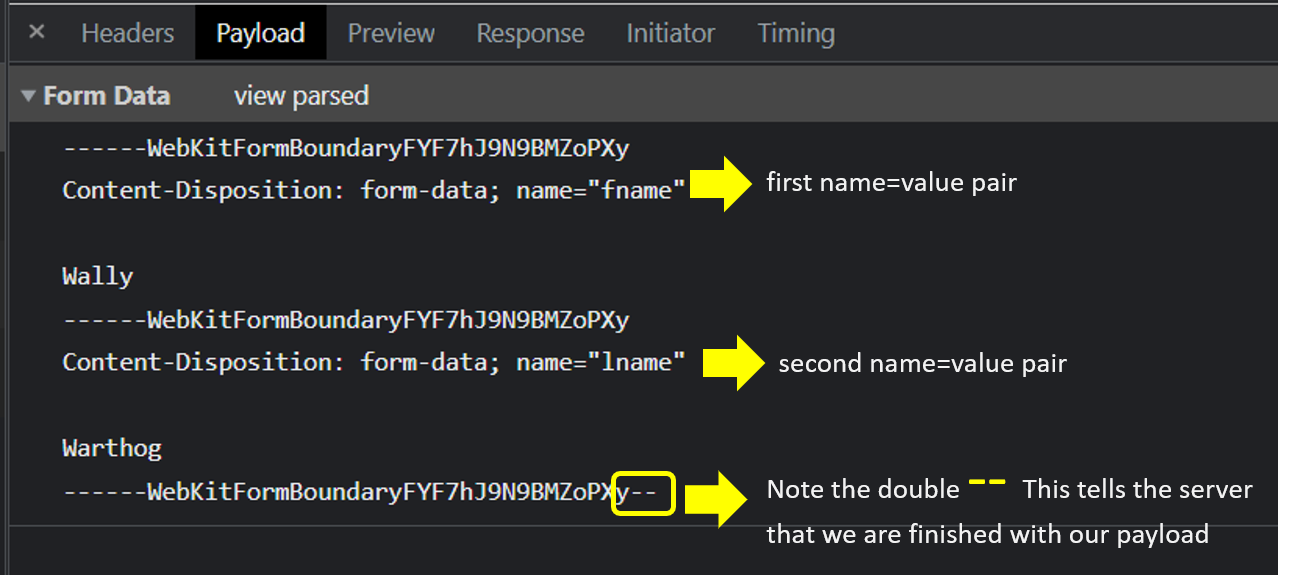
In our example above, the boundary value was browser generated as WebKitFormBoundaryFYF7hJ9N9BMZoPXy.
But, you can specify it in the Content-Type header so that the server knows how to split the data it receives.
Here is an example using an arbitrary boundary:
Content-Type: multipart/form-data; boundary="another cool boundary"

--another cool boundary
Content-Disposition: form-data; name="fname"

Wally
--another cool boundary
Content-Disposition: form-data; name="lname"

Warthog
--another cool boundary--
When you start getting comfortable with using AJAX (please check out my AJAX course), you’ll have more control as to how you define your boundary strings and you’ll also be able to easily define the headers you want to include in your request.
I want to give you an example.
Warning: please don’t feel overwhelmed. I just want you to have a ‘feel’ as to how a real request could be structured using multipart.
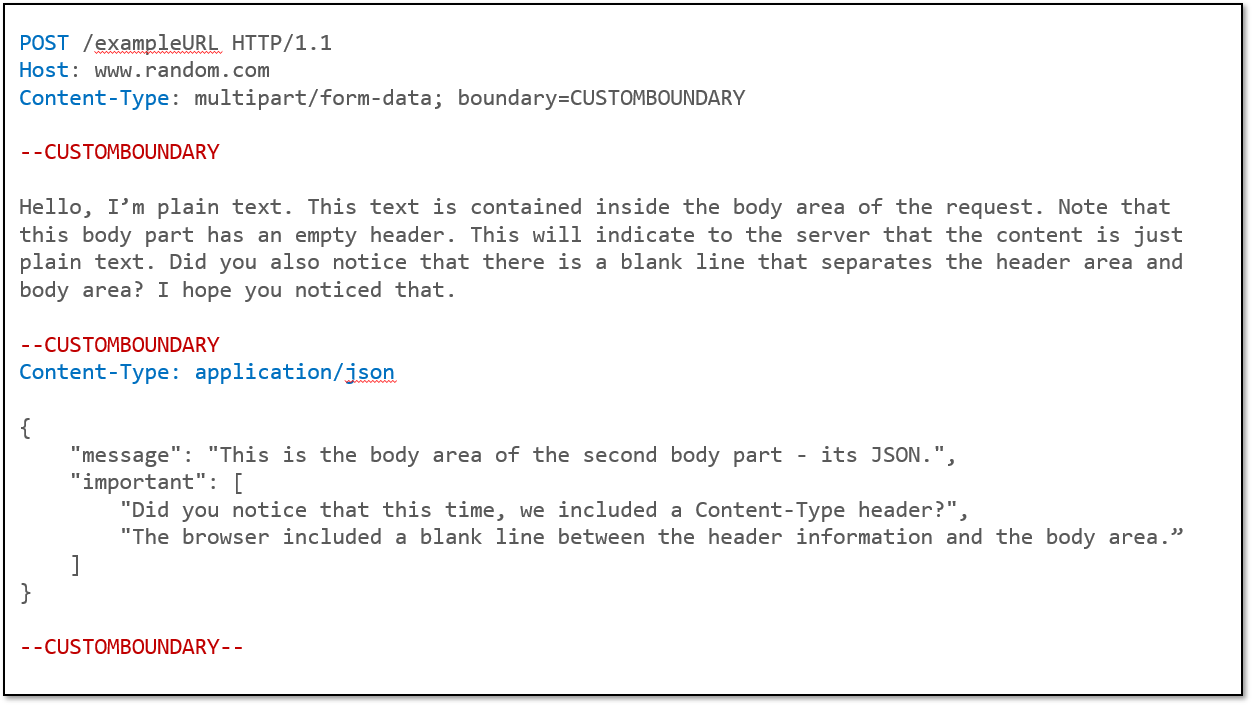
Let's create an imaginary URI - www.exampleURL.com - that expects 2 pieces of data. Let's use multipart so that the data is included in the body of hte request. Let's assume the 2 pieces of data are: (1) a snippet of text, and (2) a JSON-formatted object.
The first line is part of the HTTP request – this is not part of the request body.
The next two lines are the Host and Content-Type headers, and are also not part of the request body.
The body of the request only starts when you see the --boundary value. In our case we’ve called our boundary CUSTOMBOUNDARY.
So there you have it.
Hope you're starting to see that Boundary is only used to separate different parts of our HTML request body. Nothing more, nothing less.
Let's keep moving.