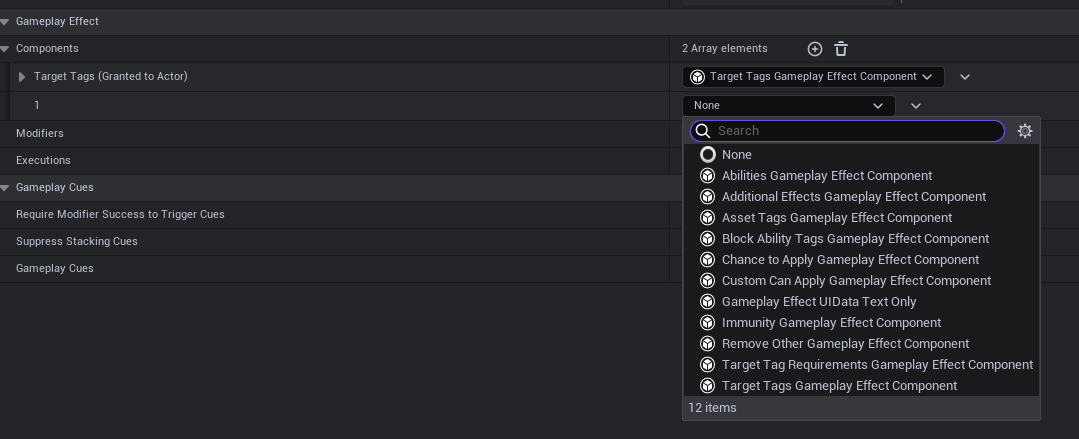
If you are using UE 5.3, you won't see the Tags section in the Gameplay Effect's Details panel that I see, as the engine version in the lecture is UE 5.2.
In 5.3, Gameplay Effect tags are now in Gameplay Effect -> Components -> [+ icon], then choose the type of tags you need to add to the Gameplay Effect.