Introducing the Google Colab Notebook
PyCharm is a fantastic IDE, but when we're exploring and visualising a dataset, you'll find the Python notebook format better suited.
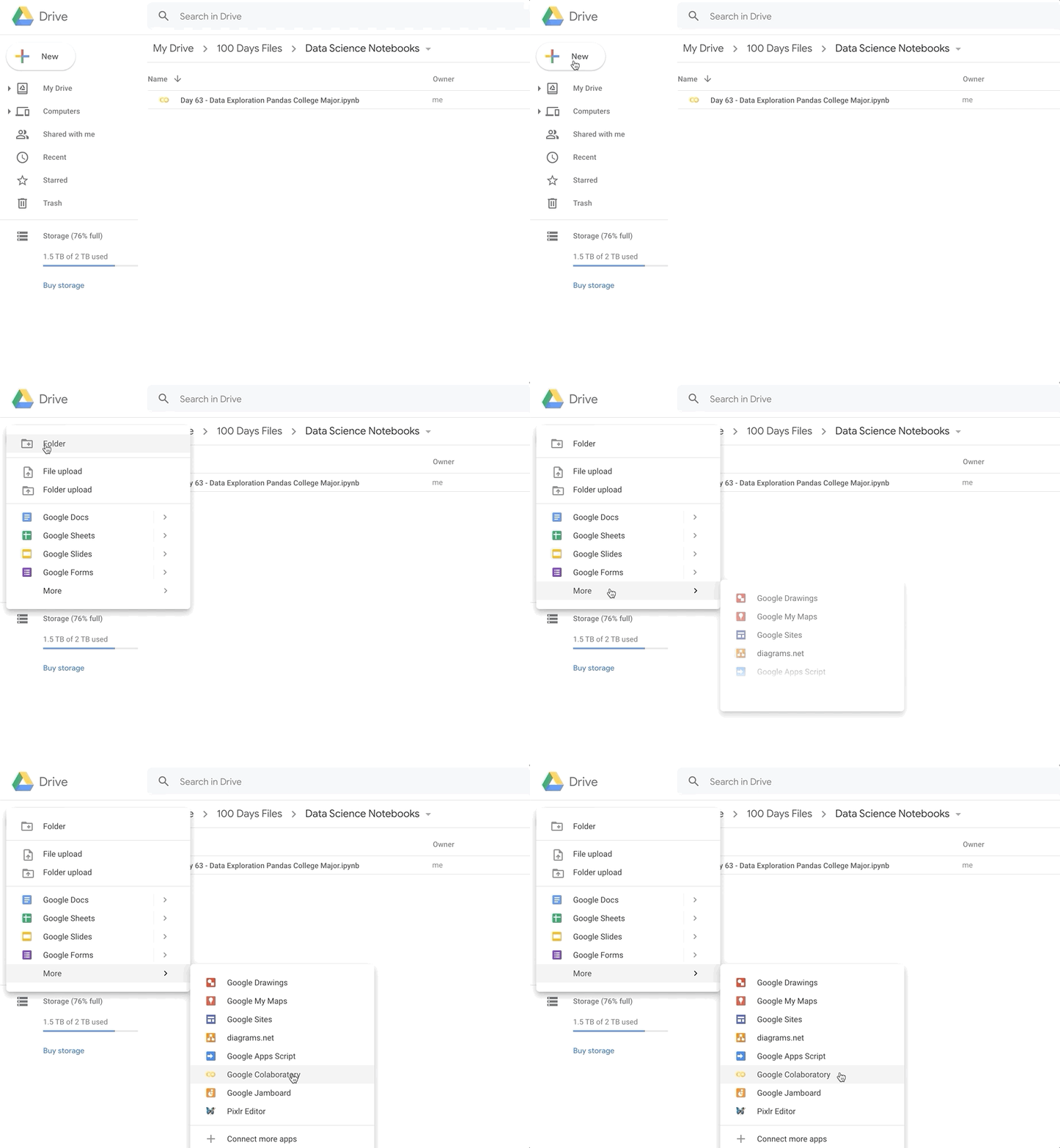
Open your first Google Colab Notebook in through your Google Drive. You can find the Python Notebook under New → More → Google Colaboratory
If you cannot access the Google Colab Notebooks or would like to run everything locally on your computer, then I recommend installing Anaconda and using the bundled Jupyter Notebook instead. Either way works. Google Colab is essentially just an online version of Jupyter.
How to use a Python Notebook
The notebook is divided into cells. Each cell can be executed individually and the result is automatically printed out below. To execute a cell use the shortcut Shift + Enter.
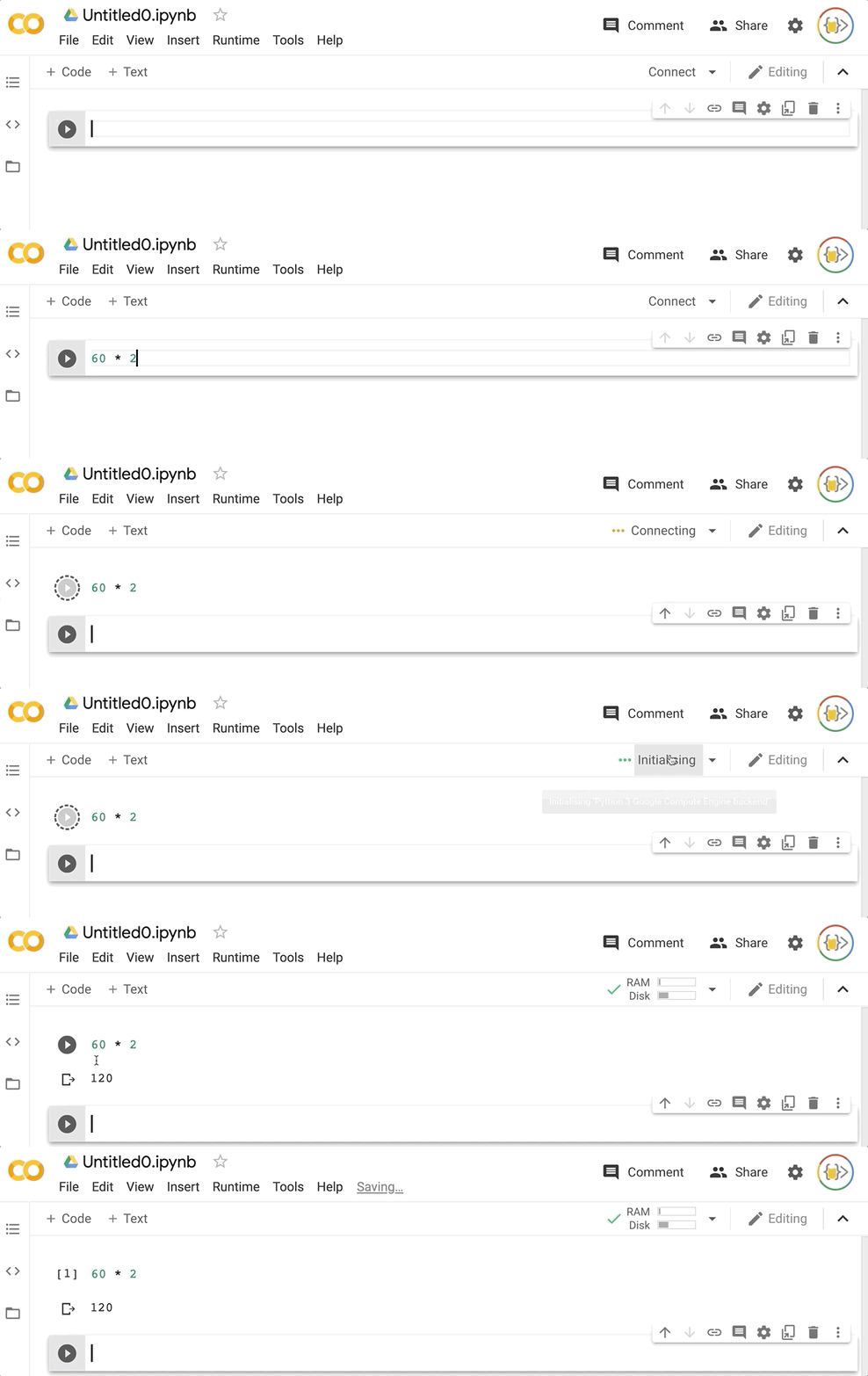
Note: The Google Colab Notebook will to connect to a Runtime in order to execute any code.
That's pretty much it. Let's get started!