Welcome to the Snack & Lift Gym automation challenge! In this project, you'll be creating a bot that automatically books gym classes for you. Because who has time to manually book classes when you could be ... snacking? 🍕
You'll be automating the booking process for the Snack & Lift gym website using Selenium and Python. By the end, your bot will be able to:
Log in automatically
Book specific gym classes
Handle waitlists
Deal with network errors like a pro
Before we start coding, let's get you signed up at our virtual gym:
Configure Selenium to stay open using the Chrome option:
chrome_options = webdriver.ChromeOptions()
chrome_options.add_experimental_option("detach", True)
Give Selenium it's own user profile. Have your script create a directory in your project folder to store your Chrome Profile information with:
user_data_dir = os.path.join(os.getcwd(), "chrome_profile")
Tell your Chrome Driver to use the directory you specified to store a "profile". That way every time you quit Chrome and re-run your Selenium script, it keeps all the preferences and settings from your profile.
chrome_options.add_argument(f"--user-data-dir={user_data_dir}")
Run Selenium and have it navigate to the gym website: https://appbrewery.github.io/gym/
Create your account manually in the browser that Selenium opens (yes, manually - just this once, like you would with a real gym):
Click "Join Today... Or Tomorrow"
Use an email format like: yourname@test.com
Choose a password you'll remember
Complete the registration
# Add your credentials at the top of your script
ACCOUNT_EMAIL = "your_email@test.com"  # The email you registered with
ACCOUNT_PASSWORD = "your_password"      # The password you used during registration
GYM_URL = "https://appbrewery.github.io/gym/"
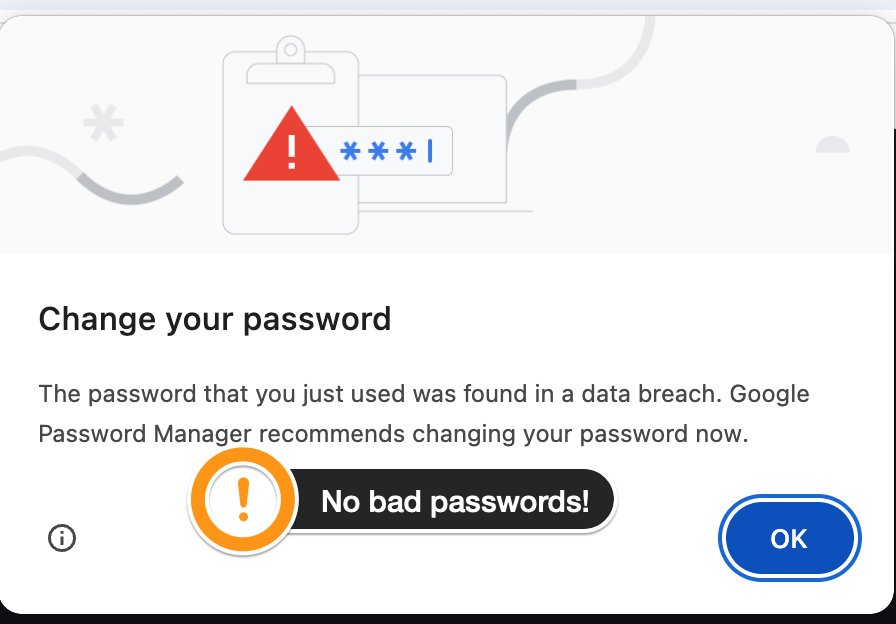
Don't pick a password like 12346 because Chrome will bring up a warning that will mess up your Selenium script! I should have picked a better password in the intro video. Don't do what I did! 🤦🏻♀️