When making a request to Amazon or any website, your browser will send some additional data along with the request. Typically this will be information regarding what browser you are using, what computer you have, and what your preferred language is. This information is included in the headers. By using the headers, Amazon's server can respond with the right website for your region and your language.
1. See the headers that your own browser is sending by going to this website:
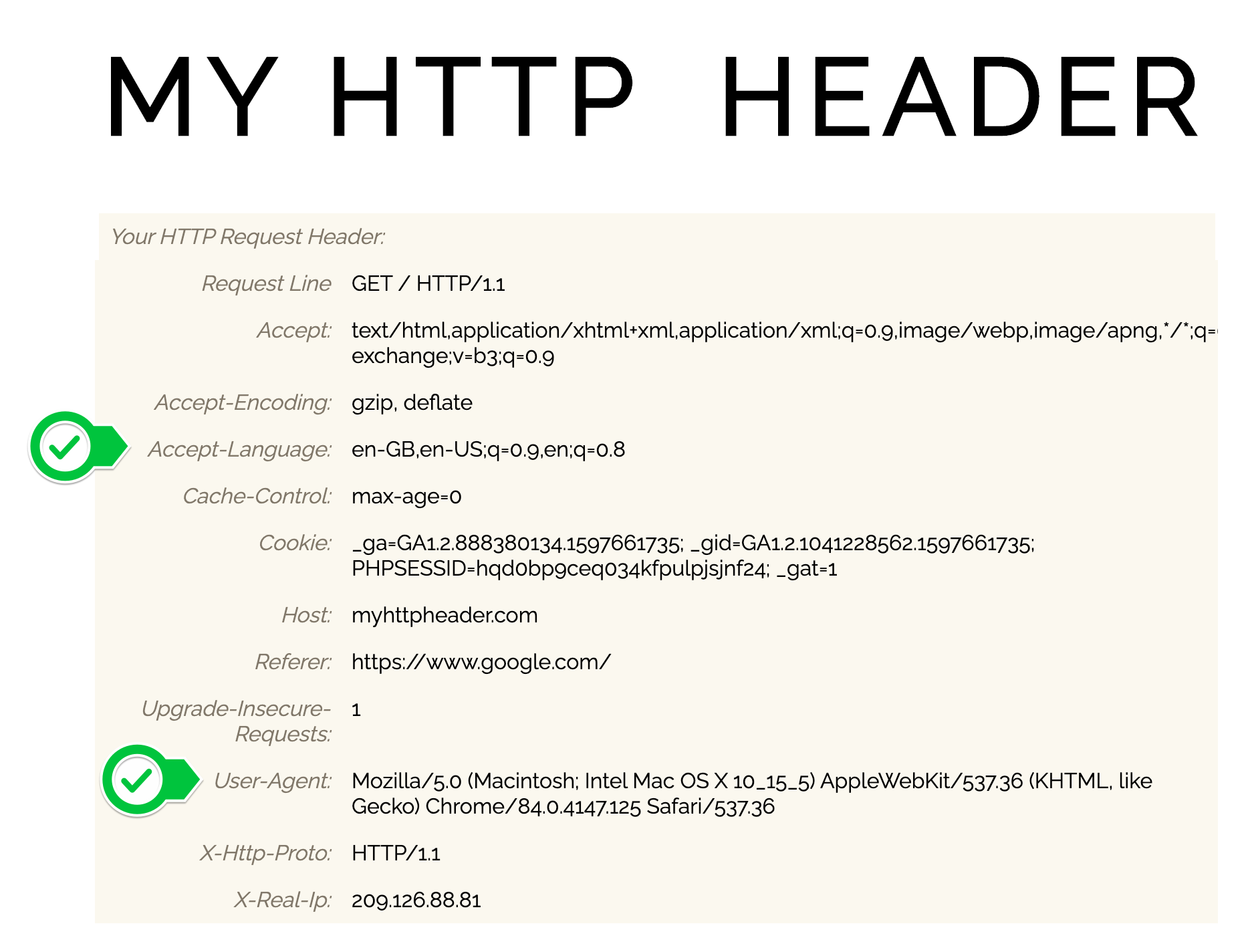
Try different browsers (e.g., Chrome, Brave, Firefox, Safari) and see how the headers change. Here's what I see:
There you can see my language settings and that I used a Mac computer to make the request.
Why would you want to do this?
If you pass some headers along then Amazon's servers can give you the instant pot page in your language and also in your currency.
Also, it will make your request look (slightly) more human and less like a bot. Why? Headers include data that is sent over by a browser rather than a script. And many web servers like Amazon's may block requests they think originate from bots.
At the moment we are making a request without adding any headers:
response = requests.get("https://www.udemy.com/")Here's how you can pass some headers alongside your requests:
response = requests.get("https://www.udemy.com/", headers={"Accept-Language":"en-US"})Here is more detailed information on how you pass headers with the requests library:
2. Add some headers to your request in the main.py. At minimum add the User-Agent and Accept-Language. At most copy the full header from https://httpbin.org/headers (excluding the host and X-Amzn-Trace-id)