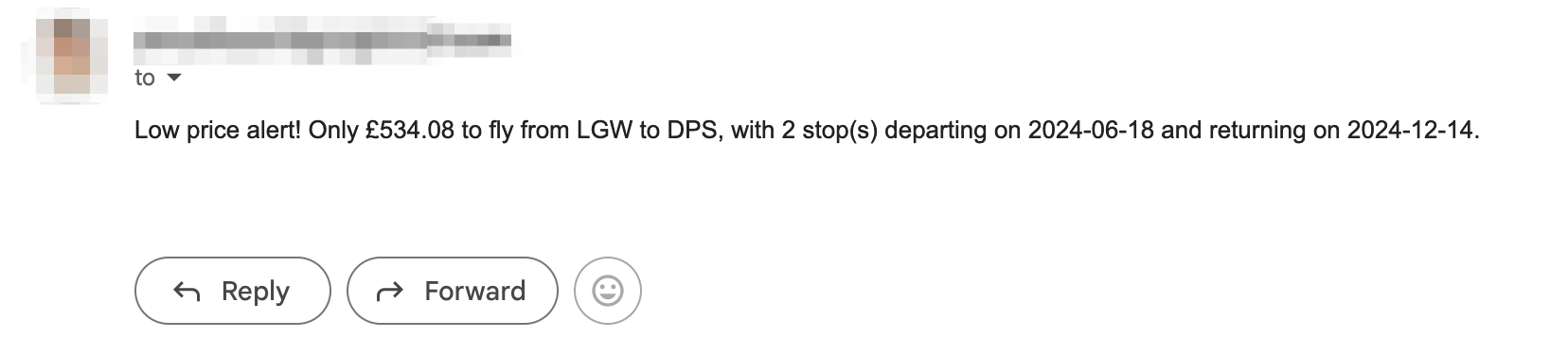
Now that our program is working as expected, all that's left to do is to notify our customers when there is a good deal!
For this step you'll need to use what you have learnt about smtplib and sending emails (we covered this in day 32). This is the final part of the project!
Objective
Send all our customers in the "users" sheet from Google Sheets an email that contains the flight deal.
Technical requirements
1. Update your .env file with your SMTP address, your email, and your app password.
2. In the notification_manager.py, update your __init__() method so that you retrieve all the environment variables in one place.
3. Create a method in the NotificationManager called send_emails() .
NOTE: when sending emails, it won't like the "£" symbol, you might get an error like the one below:

Use "GBP" instead of the "£" symbol. You can also solve this by encoding the message with UTF-8 e.g. https://stackoverflow.com/questions/9942594/unicodeencodeerror-ascii-codec-cant-encode-character-u-xa0-in-position-20#answer-9942885
4. In your main.py, craft a different message depending on whether the flight is direct or has a stopover.
You can download the complete solution code as a .zip file in this lecture.