The next step is to search for the flight prices from London (LON) to all the destinations in the Google Sheet. In this project, we're looking only for non stop flights, that leave anytime between tomorrow and in 6 months (6x30days) time. We're also looking for round trips for 1 adult. The currency of the price we get back should be in GBP.
Take a look at the Flight Offers Search API to see which parameters you can pass to the API:
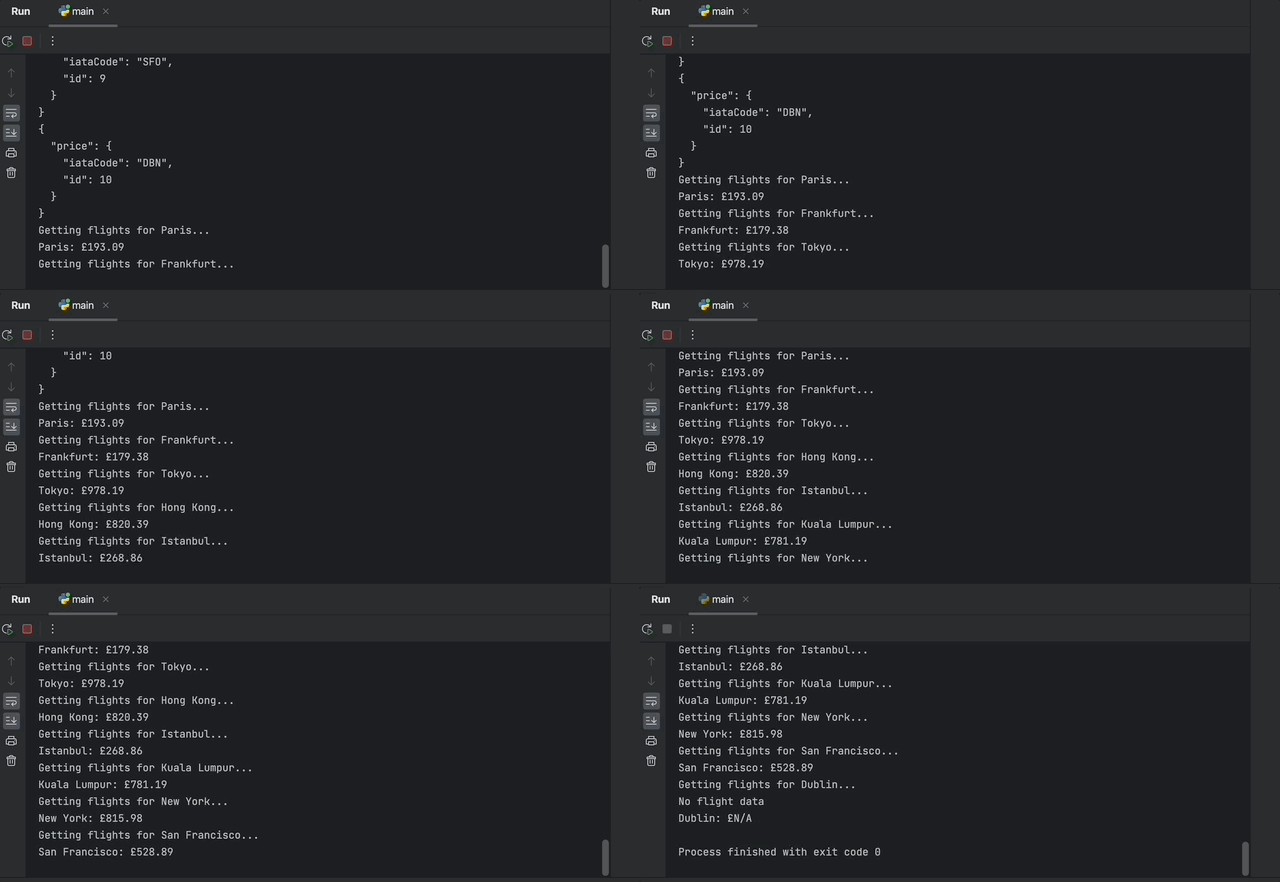
Aim to print the City and Price for all the cities, e.g:
If there is not flight or your API call doesn't return any data, then you should print "N/A".
The difficult bit:
Your API call will return a big JSON with many different flights. You'll have to parse this JSON to extract the cheapest flight. Use a tool like https://jsonpathfinder.com/ to locate the data that you need.
HINT 1: Use the FlightData class to represent the flight data. e.g. You can create attributes for price, departure_airport_code etc. Create a function called find_cheapest_flight() that parses the JSON data returned from your FlightSearch. Add some error handling e.g., if that data is None.
HINT 2: You can use timedelta() from the datatime module to define a 6 month period (6 x 30 days). e.g.
https://stackoverflow.com/questions/4541629/how-to-create-a-datetime-equal-to-15-minutes-ago/4541668
HINT 3: You can use strftime() to format the date to the required format by the Flight Offers API.
https://www.w3schools.com/python/python_datetime.asp
HINT 4: You can use the split() function to get the first part of the date from the API response.
https://www.w3schools.com/python/ref_string_split.asp
You can of course change your starting city, time frame and the destination cities as you see fit. Keep this in mind when you run into problems. For example, due to international travel disruptions, there may actually be no flights to certain destinations in the timeframe that you're searching in. Thus your code may not work even if otherwise, it is perfectly valid. If you're not sure why you're not getting any results back, you can double-check flight availability on websites such as Skyscanner or Kayak.com. As such, you could change the origin city to Denver (DEN), change the currency to dollars (i.e., "curr"="USD"), and change the Google Sheet cities to very large domestic airports like Atlanta, Los Angeles, Chicago and Dallas.
For some destinations, certain time periods, there will be no flights available. We need to add exception handling to our code so that it doesn't break and crash in these situations.
HINT: Consider creating a FlightData object with N/A values if your API call is to Amadeus had problems.
FlightData(
  price="N/A",
  origin_airport="N/A",
  destination_airport="N/A",
  out_date="N/A",
  return_date="N/A"
)