In the coming lessons, we'll be using the PyCharm Integrated Development Environment to learn to code. It's a completely free piece of software and is used by professional Python developers across the globe. They also have a handy course template feature, which we'll be using for the beginner parts of the lessons from Day 1 to 15. So while you might have another favourite code editor, I only recommend to use PyCharm for this course.
Step 1
Download and install Python to your computer. Head over to the official Python website to download the latest version of Python for your computer system. Then complete the installation.
https://www.python.org/downloads/
Make sure you tick the box to Add to PATH / Add to Environment Variables if using the stand-alone installer.
Windows is now using an Install Manager by default so you will not need these variables - see 4.1. Python install manager. You can install directly from the Microsoft Store.
You will also need tcl/tk later in the course, so a Custom install gives you access to all of these settings. On Linux you may need to independently install python3-tk from your package manager
Step 2
Download PyCharm using the link below. The Community Edition is now discontinued and the codebase has been merged with the Professional version, so there is only one product now. Of course, you will be offered a trial of the Pro and AI features, but regardless the limited version remains free.
IMPORTANT: If you already have PyCharm, make sure you update to the latest version of PyCharm otherwise the steps below might not work!
Step 3
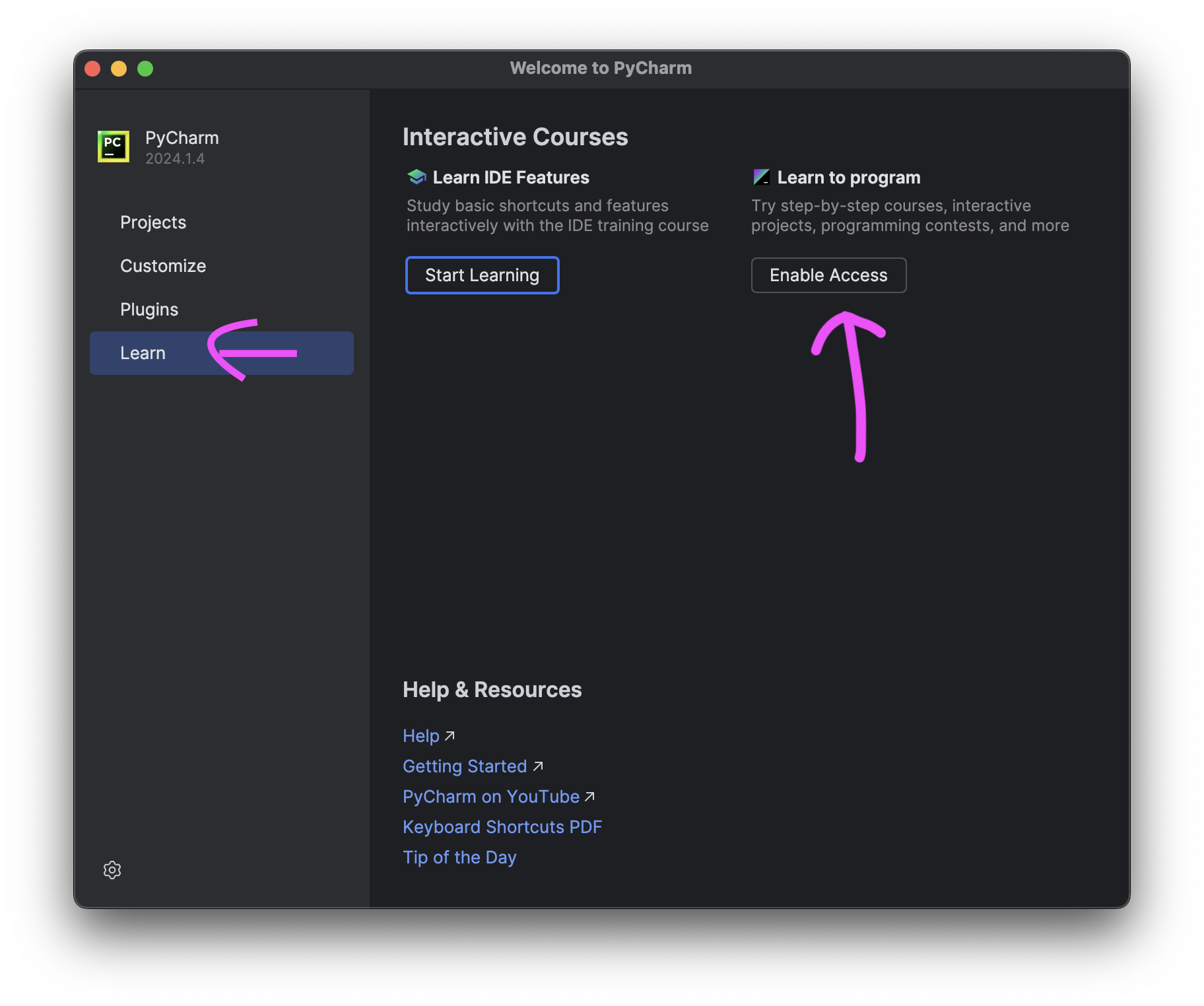
Once PyCharm installs successfully, you should see the welcome screen. Click on the Learn tab and click "Enable Access".
Step 4
Once all the required plugins install successfully. Close and Restart PyCharm.
Step 5
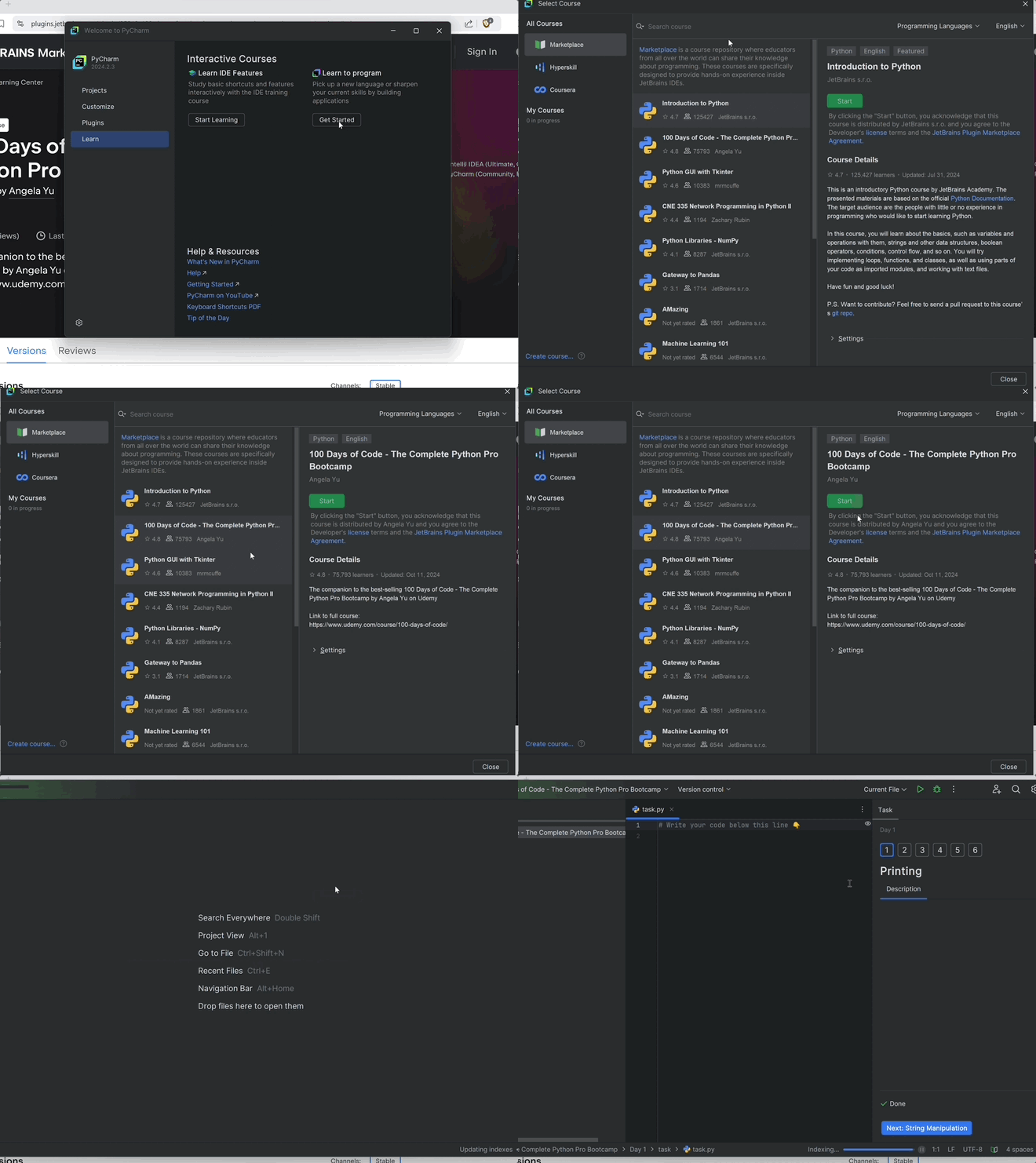
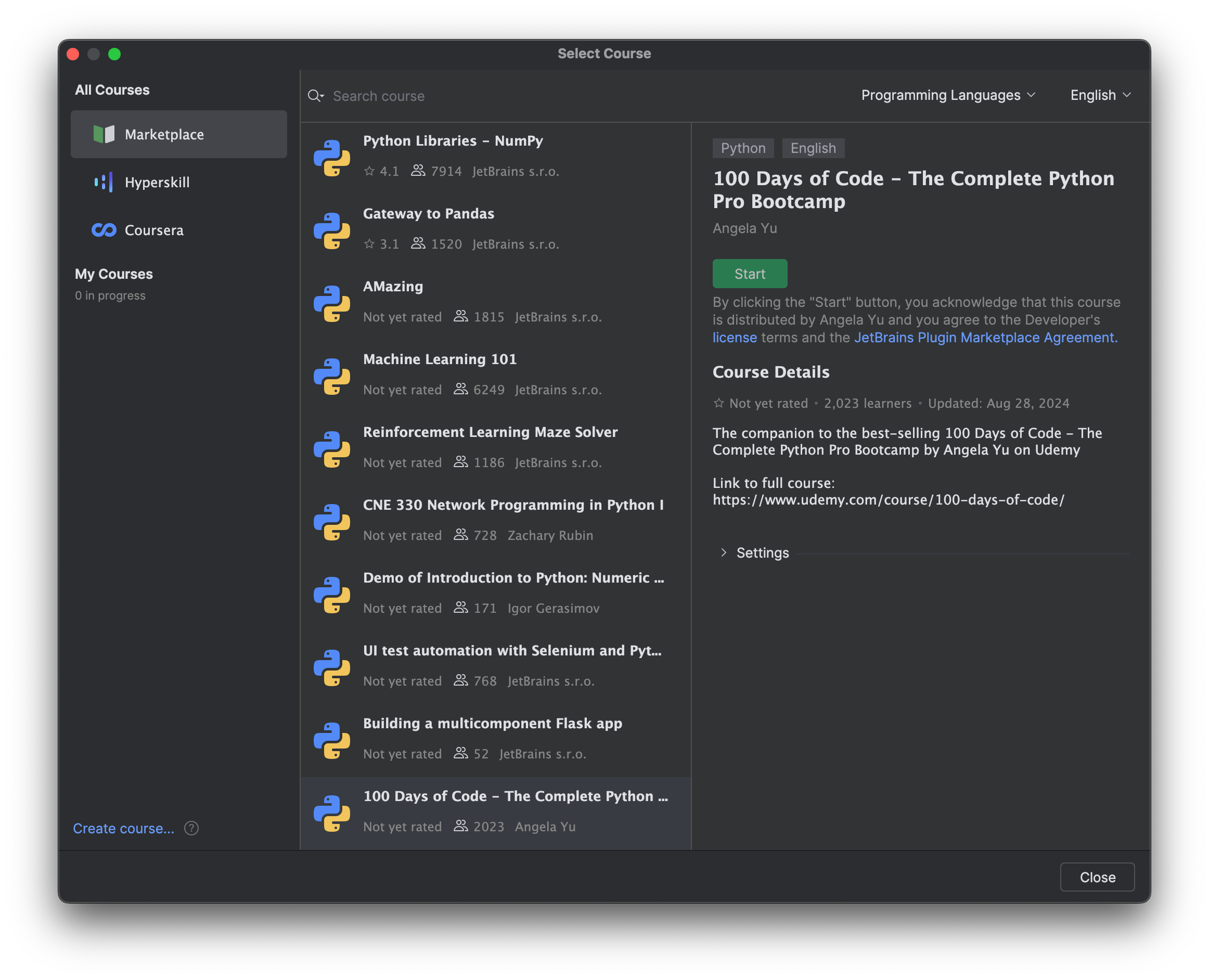
In the "Learn" Section, click "Get Started". Find the 100 Days of Code exercises in PyCharm's Marketplace. Click "Start" and it should download the module from the marketplace onto your local computer.
Step 6
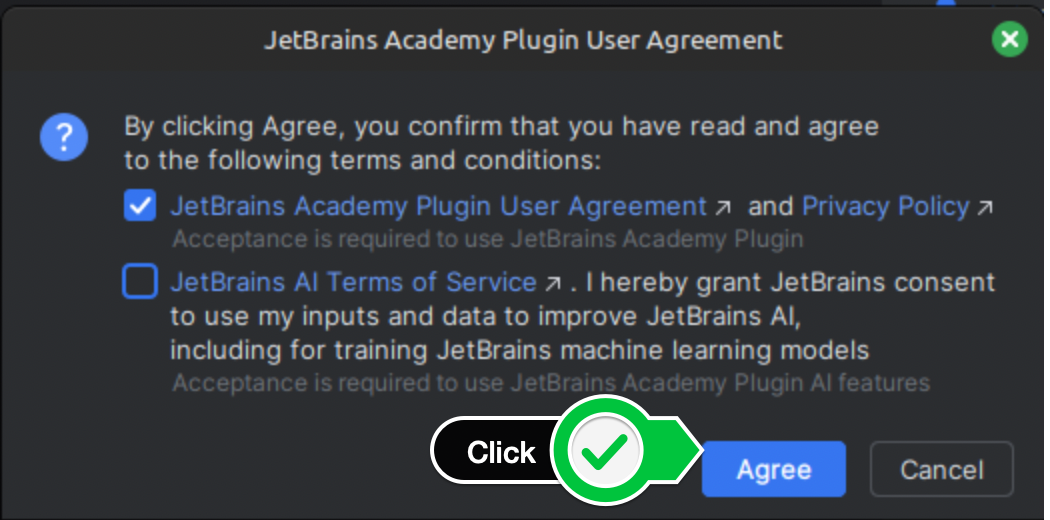
Remember to sign the user agreement (or the projects won't open properly)
Troubleshooting:
If you can't find the Learn section, you can also go to File -> Learn and Teach -> Browse Courses.
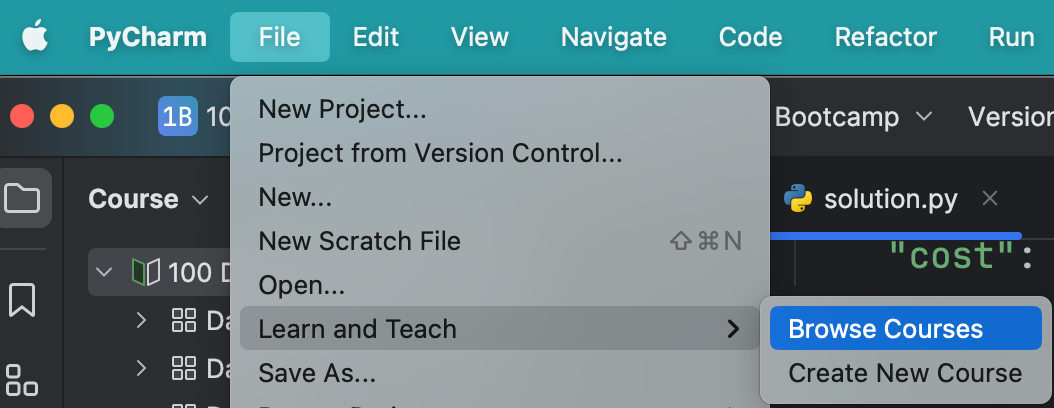
Next, scroll down to find the course: 100 Days of Code - The Complete Python Pro Bootcamp and click "Start". You can also search for it in the search course area.
Now you should have access to the beginner course (Day 1 - Day 15) on PyCharm. You will be guided through the lessons to go from Task to Task (you can see the task numbers on the right pane e.g. 1 - 6 for Day1).
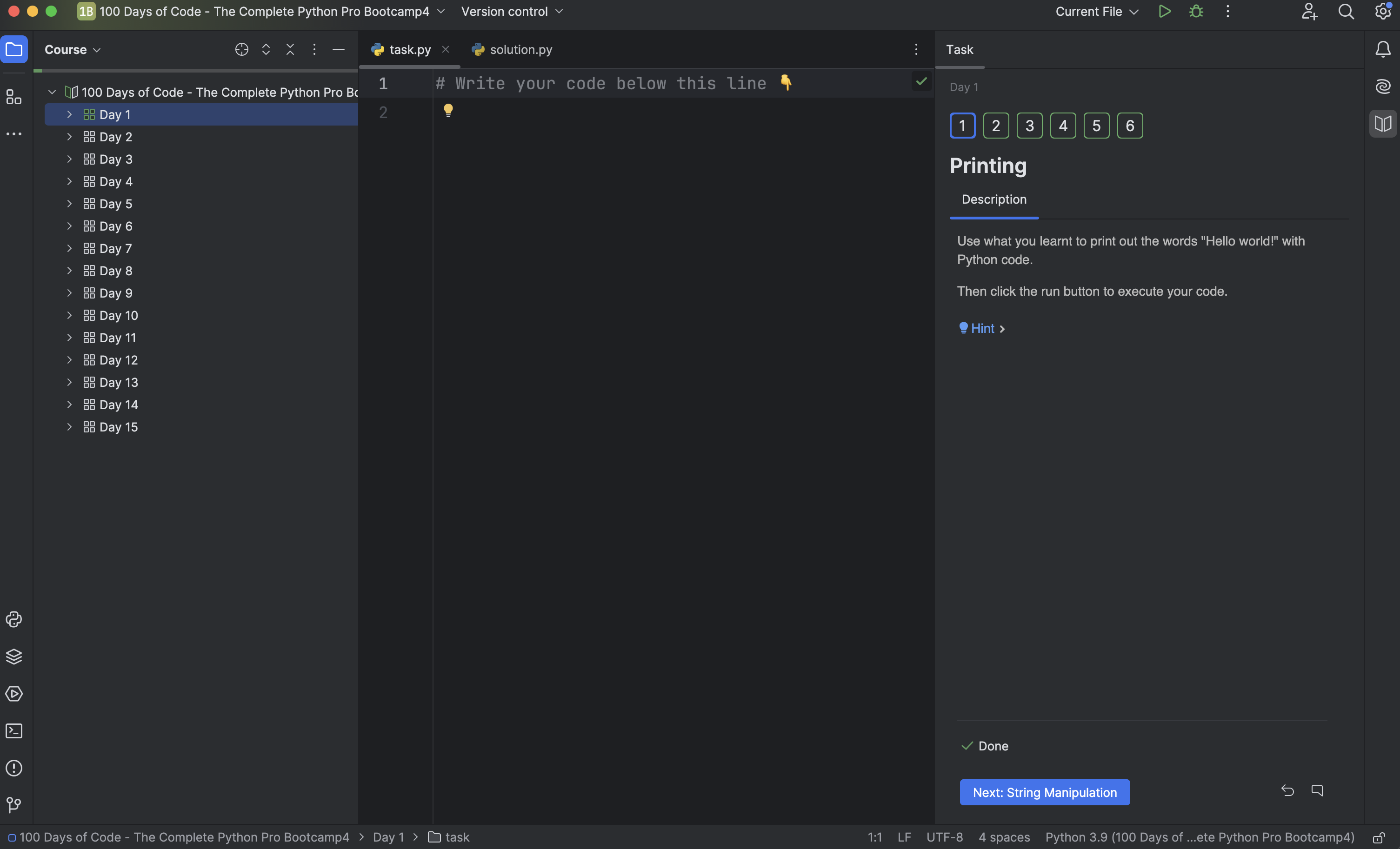
NOTE: This course project covers the lessons for Day 1 to Day 15. After that, you will be creating your own projects in PyCharm (or your preferred IDE).